






















TL;DR - Key Takeaways
- A headless CMS decouples your front-end from your back-end so content flows to any channel through APIs.
- The main reasons to switch: every content change needs a developer, content is trapped in page templates, and a lack of omnichannel delivery.
- A successful migration starts with a business case. A swap with no other goal often lacks business value, so pair it with cleanup, consolidation, or measurable performance targets.
- A successful migration framework includes inventory analysis, scope definition, content modeling, front-end and BFF implementation, and testing before launch.Pure headless can break the editorial experience. A hybrid CMS keeps the back-end and visual editing stable, so you only rebuild the front-end and the BFF.
Key benefits of switching to headless
Before committing to a migration, it helps to be clear on what you're gaining. These are the benefits that consistently push organizations to make the switch from a traditional CMS to a headless CMS:
- Front-end freedom: Developers can build in React, Vue.js, Next.js, or any other framework, without CMS constraints. You choose the right tool for the job, not the one the CMS allows.
- Omnichannel delivery: Content stored once is delivered via API to any surface: web, mobile app, kiosk, wearable, or voice interface. No duplication, no reformatting.
- Faster page performance: A decoupled front-end only handles what users see. Heavy CMS processing (auditing, logging, version tracking) runs separately in the back-end, which cuts page bloat and improves Core Web Vitals.
- Independent release cycles: Front-end teams can ship UI changes without touching the CMS back-end, and back-end teams can upgrade or reconfigure the CMS without breaking the front-end.
- Redesign without re-platforming: In a headless setup, a full visual redesign is a front-end project. The content, the CMS, and all integrations stay in place.
- Smaller security surface: Fewer direct connections between the presentation layer and the database means a smaller attack surface, a real advantage over tightly coupled traditional setups.
- Long-term flexibility: Because the CMS is API-first and composable, replacing one part of the stack (the front-end framework, the commerce engine, the personalization layer) doesn't mean migrating the whole platform.
What is a hybrid headless CMS?
A hybrid headless CMS delivers content two ways from a single repository: as structured data through an API for custom front-ends, and as fully rendered pages through built-in templates. That lets developers build in any framework while editors keep visual, in-context editing and preview. CoreMedia is one example of this model, pairing a GraphQL headless API with server-side rendering so both teams work from the same content.
The distinction matters because it changes the size, risk, and cost of a migration. Here's how the three models compare.
| Dimension | Traditional (coupled) | Pure headless | Hybrid headless |
| Content delivery | Renders pages from templates | Structured data via API only | Both API delivery and built-in rendering |
| Front-end flexibility | Limited to the CMS's templating | Full freedom in any framework | Full framework freedom, rendering optional |
| Editorial experience | Visual editing and preview built in | Often lost unless custom-built | Visual, in-context editing kept intact |
| Release cycles | Front-end and back-end ship together | Front-end and back-end ship independently | Independent, with a stable editorial back-end |
| Migration complexity | Not applicable (starting point) | High: rebuild the front-end and the editor experience | Moderate: rebuild the front-end, keep the back-end |
| Best for | Stable single-channel sites | Developer-led teams needing many channels | Enterprises needing channels without losing editorial control |
When should you migrate to a headless CMS?
You should switch when your legacy CMS starts constraining the business instead of serving it. Not every organization needs to move today, so these are the clearest signals that a headless migration is the right next step:
- Your development team is fighting the CMS. If front-end developers keep working around template limits, adding workarounds, or waiting on back-end changes to ship UI updates, the coupling is costing you velocity.
- You need to publish across multiple channels. When the same content has to reach a website, a mobile app, a retail display, and a third-party platform, a traditional CMS makes you duplicate and reformat it for each. An API-first headless CMS delivers it once to all of them.
- Your site performance is falling behind. Slow time-to-first-byte and weak Core Web Vitals often trace back to monolithic CMS rendering. A headless architecture, implemented well, separates content delivery from rendering and typically produces lighter, faster pages.
- You're planning a redesign or re-platform anyway.A redesign is the most efficient moment to modernize the architecture too. Doing both at once avoids a second disruptive migration later.
- Third-party integrations are getting hard to manage. When every new integration needs back-end work and risks destabilizing the site, a BFF-based architecture, where integrations live in a clean middle layer, simplifies the picture.
- You're expanding into new markets or languages. Multi-site and localization work is far easier to manage when content is decoupled from presentation and delivered via API.
When headless isn't worth the switch
Headless earns its cost when you have real multi-channel demand, a front-end you need to evolve independently, or governance requirements a coupled system can't meet. For small businesses without developer resources or simple website-only set-ups, optimizing your existing setup is often the better call.
Common pitfalls of pure headless
Most failed headless projects trip over the same few things:
- Editors lose visual editing and in-context preview.
- SEO basics that a traditional CMS handled automatically get missed.
- The tool stack fragments across too many separate services.
This guide flags each one as it comes up.
The step by step of how to switch to headless
A headless CMS migration runs through nine stages, from first assessment to post-launch maintenance. You won't spend equal time on each, but skipping any of them is where transitions go wrong.
At a glance:
- Assess and plan: set business goals, audit the current architecture, align stakeholders.
- Choose your front-end architecture and BFF layer.
- Explore simplification and cleanup.
- Choose a migration approach: PoC, phased, or big-bang.
- Implement: build the front-end, adjust APIs, protect the editorial experience.
- Set up operations: infrastructure, security, monitoring.
- Deploy: CI/CD, environment management, versioning, rollback plans.
- Test: unit, integration, performance, and user acceptance.
- Optimize and maintain after launch.
1. Assessment and planning
Start with the business case, not the architecture. A plain swap from a legacy CMS to headless with no other goal often lacks business value, so anchor the project to an outcome the business already wants, and document your current setup before you touch anything.
- Define S.M.A.R.T. objectives (scalability, flexibility, performance, publishing speed) so you can steer the project and prove success. If performance is the driver, capture "before" measurements first.
- Assess your current architecture. Inventory every third-party integration, its usage, and its communication pattern. The front-end and integration layer are where rigidity usually shows up as "workarounds."
- Align stakeholders early and use those conversations to surface hidden objectives. Business teams often want to redesign things while the hood is open, and it's cheaper to hear that now.
2. Choose your front-end architecture
Pick a front-end framework that fits your team's skills and has strong long-term support. React and Vue.js are common choices; the right one balances ease of implementation against flexibility and future readiness.
What is a backend-for-frontend (BFF)?
A backend-for-frontend (BFF) is a middle layer that sits between your front-end and your back-end services. It gives the front-end a single, tailored interface to talk to, instead of calling every back-end system directly. It's one of the highest-value decisions in a well-architected headless setup:
- It encapsulates the front-end from the back-end, so you can swap components without a ripple effect.
- It's the natural integration point for third-party services, including your commerce engine.
- It can absorb business logic, caching, and security handling, for example harmonizing transactional data with editorial content.
Decide whether to build the BFF yourself or start from a ready-made front-end blueprint. A blueprint gives teams a head start on the BFF and the dynamic functionality that off-the-shelf front-ends usually lack.
3. Explore simplification and cleanup
A headless CMS migration is one of the best opportunities you will have to reduce accumulated technical debt. With the front-end being rebuilt anyway, treat it as a design refresh that reuses existing content rather than a template-by-template migration.
- Front-end and CX: retire layouts and components no longer in use, or combine overlapping ones. If the look and feel is changing, do it now.
- Back-end and APIs: as front-end modules shrink, some back-end logic and services can be retired or moved into the BFF.
- Content audit: use analytics to find pages with no traffic, ask why, and cut what no longer earns its place. Every page removed is coding effort saved.
4. Choose a migration approach: PoC, gradual, or big-bang
There's no single correct path. The right approach depends on your team's skills, risk tolerance, and how much you already understand about the target architecture.
| Approach | Best for | Main advantage | Main risk |
| Proof of concept | Validating feasibility before committing | Surfaces technical unknowns early at low cost | Focuses on internal/technical validation, not user feedback |
| Gradual (phased) | Teams that want to learn as they go | Safer; you can steer and improve along the way | You run a mixed front-end for a while, which adds complexity |
| Big-bang | Well-scoped projects with strong coordination | Shorter overall timeline; no dual-system up keep | Any issue is immediately live, and ROI only lands at the end |
A proof of concept works best when you're clear about which specific questions it needs to answer, rather than trying to build a full end-to-end system. A phased rollout moves a few templates or sections to headless at a time, trading a faster finish for more control along the way. Enterprise teams often choose this path when the content model is complex enough that a single cutover feels too risky, and when they want fast feedback they can fold into the next phase before rolling out further. A big-bang can be the fastest route, but only when planning, testing, and cutover coordination are genuinely solid.
5. Implementation
Implementation is more than writing components. Set up the front-end to communicate with the back-end, adjust APIs where the split requires it, and protect the editorial team while you do. A common adjustment is splitting the page frame (header, footer, navigation) from the page content so you can speed up time-to-first-byte, which means the service delivering the frame has to be available separately from the content between it.
Plan realistic effort (it's bigger than it looks)
Front-end development is the visible part of the work, and it's routinely underestimated. Here's a rough, illustrative breakdown for a 10-component front-end. Treat it as a shape, not a benchmark; your scope will differ:
- Project setup and resource planning: ~3 days
- Developer infrastructure (IDE, CI/CD, definition of done, coding rules): ~5 days
- Base frame of the headless workspace (structure, dynamic routing, multi-environment setup): ~5 days
- Component migration with test cases: ~2 days each, ~20 days for 10 components
- Management and communication overhead: ~30%
- Bug fixing: ~20%
That lands near 51 days, or 10-plus working weeks, before any back-end adjustments. Teams that skip this math are the ones that miss deadlines.
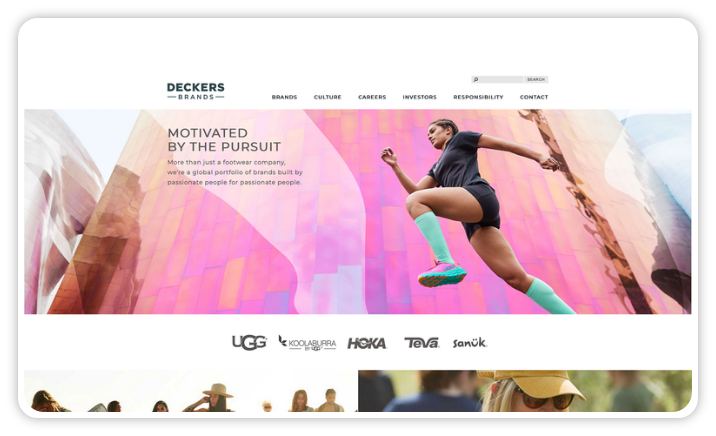
That said, tight scope keeps timelines short. Enterprise Ireland went from kick-off to go-live in 90 days while running content across 40-plus markets, and Deckers Brands launched in under two months.
Protect the editorial experience
This is where pure headless projects fail. Off-the-shelf, decoupled front-ends are often hard-coded, so editors lose visual preview and the ability to build a page or change navigation without a developer. The marketing team escapes one bottleneck and lands in another.
Design against that from the start:
- Render page structure and navigation dynamically from back-end metadata. Don't hard-code them into the front-end, or you tie your editors' hands.
- Let editors add landing pages through the editorial interface, not through a developer. This is the most common misunderstanding in headless projects.
- Integrate the new front-end into the editorial preview, and preserve features like deep links and content scheduling that editors rely on.
A hybrid headless CMS is built to keep these capabilities intact while the front-end goes headless, which is why the editorial experience is easier to protect on a platform like CoreMedia's hybrid headless CMS.
NS Dutch Railways runs a single headless platform across web, app, call center, and internal tools, with real-time previews so more than 1,500 content professionals can work together without losing sight of what they're publishing.
Build living documentation
Set up a "living documentation" site: a dedicated space where each front-end module is rendered with its own usage notes instead of real consumer content. A teaser's description explains when to use that teaser; an image shows the module's wireframe.
This pays off twice. It helps editors understand how and when to use each module, and it gives developers a stable, content-independent set of fragments for automated, repeatable front-end tests. You're testing the new UX anyway, so documenting and enabling automated tests at the same time gets real value out of effort you'd spend regardless.
6. Operational considerations
The loosely coupled architecture changes how you host and secure the system, so plan operations alongside the build, not after it.
- Infrastructure: stand up a parallel stack so front-end work and its frequent deployments don't disrupt maintenance on the current site. Expect to set up cloud services and load balancing to support the new architecture.
- Security: protect data and secure the communication between front-end and back-end. Authentication and authorization patterns are often best handled with proven BFF techniques.
- Monitoring and logging: track performance and health, including direct checks on the BFF, so you catch APIs that respond too slowly and hurt both the customer experience and your search performance.
7. Deployment
Front-end and back-end often ship on different cycles, so deployment and versioning need their own plan.
- CI/CD: automate the deployment process with pipelines, whether separate or combined for front-end and back-end.
- Environment management: keep development, staging, and production consistent.
- Version and release management: document which front-end version works with which back-end and BFF version, and use a predictable scheme like Semantic Versioning. This is what makes rollbacks safe.
- Rollback plans: revisit them for a loosely coupled architecture, where you can roll one component back without disturbing the others.
8. Comprehensive testing
Test each layer on its own and end to end, so a failure points to a cause instead of a guess.
- Unit testing: test individual components. The living documentation from step 5 gives you stable, content-independent fixtures for repeatable regression tests.
- Integration testing: test the interaction between front-end and back-end, especially on the BFF, so data passes correctly and holds up under load.
- Performance testing: check behavior under realistic load, both end to end and along the path.
- User acceptance testing: confirm the system meets real user needs. Automated front-end and BFF tests cut the manual burden here.
9. Post-launch optimization and maintenance
The work continues after launch, and the loosely coupled front-end makes ongoing changes easier to ship.
- Performance optimization: keep monitoring and tuning. Automated regression testing and reporting carry most of the load.
- Regular updates: front-end frameworks move fast and lean on browser features, so plan for more frequent updates than a traditional stack.
- Feedback loop: gather user input on features, performance, and accessibility, and ship adjustments quickly.
How a hybrid CMS de-risks the switch
A hybrid CMS lets you go headless on the front-end while keeping a stable back-end and editorial interface on the same platform. Any migration means standing up a new system, but hybrid keeps the scope to the new front-end and the BFF, instead of also rebuilding the editorial experience and every integration from scratch the way a pure headless build usually does. That is the biggest way to cut risk and cost. This matters most in regulated industries like banking, insurance, and the public sector, where content governance and data residency leave little room for error.
The CoreMedia Digital Experience Platform, a composable DXP, delivers content from one repository through both server-side rendering and a GraphQL headless API. That single foundation is what makes the switch lower-risk, in a few specific ways:
- Keep your back-end and content. You migrate the front-end and add a BFF, without re-migrating the content repository or rebuilding the editorial layer.
- Run both delivery modes at once. Server-side rendering and the headless work in parallel, so you can move channel by channel instead of all at once.
- Start from a ready-made front-end blueprint to speed up the BFF and front-end build.
- Certified implementation partners who have run enterprise headless migrations before.
- Phased-rollout support, so the switch becomes a controlled transition rather than a rip-and-replace.
Deutsche Bahn runs its content on a headless setup that lets developers add new features without touching the core customer experience, so the platform keeps adapting without a rebuild each time.
How switching to headless affects SEO
Done well, headless improves SEO. Done carelessly, it can hurt it, because the front-end is now responsible for things a traditional CMS handled automatically.
Protect your search performance with a few deliberate choices:
- Use server-side rendering or static generation so crawlers get complete HTML, not an empty shell that depends on JavaScript.
- Keep structured data (schema markup) and page meta data (title tags, meta descriptions, canonical tags) in the front-end build, since they no longer come from CMS templates.
- Monitor Core Web Vitals. A lean, decoupled front-end usually improves them, but only if rendering and caching are set up correctly.
- Preserve URLs and redirects during the migration so you don't lose existing ranking signals.
Structured content is also AI infrastructure
Decoupled, structured content isn't only for websites and apps anymore. It's also what AI answer engines read. When content lives as clean, typed data instead of being buried in page HTML, search engines and AI systems can retrieve, interpret, and cite it more reliably, which is now part of how brands get discovered.
CoreMedia outputs structured, typed content through a GraphQL API that AI retrieval systems can parse and attribute without depending on page HTML. That makes a headless or hybrid setup a discoverability decision as much as an architectural one: a CMS that outputs governed, machine-readable content serves human screens and AI systems from the same source.
Frequently Asked Questions (FAQs)
How long does it take to switch to a headless CMS?
A headless CMS migration off a legacy platform depends on content volume, the number of components, and how much back-end change is involved. A mid-sized front-end transition commonly runs several weeks to a few months; CoreMedia's own illustrative estimate for a 10-component front-end lands near 10 working weeks before back-end adjustments. Scope and cutover complexity move that number more than raw content count.
Do you have to migrate all your existing content?
No, and you usually shouldn't. Treat the switch as a chance to audit content, migrate structured, high-volume types (like articles or products) in bulk, rebuild complex landing pages by hand, and cut pages that no longer earn traffic. A carbon copy of the old site wastes the opportunity.
Will going headless hurt the marketing or editorial team?
It can, if you choose pure headless and hard-code the front-end. Editors lose visual preview and the ability to change pages without a developer. A hybrid headless CMS avoids this by keeping in-context editing and preview while the front-end is decoupled.
Should we do a big-bang or a phased migration?
A phased migration is safer and lets you improve as you go, at the cost of running a mixed front-end for a while. Big-bang is faster and avoids maintaining two systems, but any issue is immediately live and ROI only arrives at the end. Match the choice to your team's coordination strength and risk tolerance.
Do you have to rebuild your editorial experience from scratch to go headless?
No, if you choose a hybrid headless CMS. You migrate to a single new platform that handles both editorial workflows and headless API delivery, so your team keeps the visual editing and preview it already knows, while developers get full front-end freedom. Pure headless CMS migrations often lose this, forcing editors to relearn how to publish. Hybrid headless avoids that, without running two separate systems.
Which enterprises run CoreMedia's headless CMS?
Recognizable names run CoreMedia in headless setups, including Deutsche Bahn, NS Dutch Railways, and CLAAS. They use it to deliver content across web, apps, and other touchpoints while keeping editorial control, which is the pattern most enterprises are after when they move to headless.
Where to go from here
The teams that come through a headless switch cleanly are the ones that planned for more than the front-end: they set a business goal, chose an approach on purpose, budgeted the real effort, and protected the people who use the CMS every day. Preparation is the differentiator, not the framework.
If you're weighing the switch, it's worth seeing how a hybrid headless approach keeps developer flexibility and marketer control in the same system, so you rebuild the front-end without giving up the editorial experience.