





















TL;DR – Key Takeaways
- Enterprises considering an open source CMS should look beyond the core software to the plugins, API integrations and custom code needed to scale, because that is where governance, multi-market consistency, security patching, TCO and AI governance hit their limits.
- A free license doesn’t mean a lower total cost, because patching, security upgrades and plugin maintenance fall to the organization after launch.
- Proprietary CMS platforms bring enterprise features such as governance, multi-site management and vendor support out of the box, with their own risks, including license cost, vendor lock-in and dependence on the vendor’s roadmap.
- Open source supports sovereignty through code anyone can audit, and a proprietary CMS can be just as sovereign when the vendor is subject to EU law and offers EU hosting or on-premises deployment.
- CoreMedia combines the enterprise features of a proprietary CMS with the deployment choice and open APIs that many buyers look for in open source.
What is an open source CMS?
An open source CMS is a content management system whose source code is published under an open source license, so any organization can run, study, change and share it without paying license fees or asking a vendor for permission. A community or foundation usually develops the open source code, and companies and agencies offer professional services around it. Drupal and WordPress are two of the best-known open source CMS platforms. Both are released under the GNU General Public License, version 2 or later, according to Drupal’s official licensing page and WordPress’s license page.
What is a proprietary CMS?
A proprietary CMS is a content management system whose source code belongs to a vendor, which licenses the right to use it through a subscription or license agreement. The vendor develops the product, sets the roadmap and provides support, usually through a dedicated support team backed by an SLA. Proprietary content management systems often focus on a user-friendly interface for non-technical editors. Adobe Experience Manager, Sitecore, Optimizely and the CoreMedia Digital Experience Platform are examples of proprietary CMS platforms.
What separates an open source CMS from a proprietary CMS?
The main difference between an open source CMS and a proprietary CMS is who controls the code and, with it, who carries responsibility for support, fixes and accountability when something breaks. With open source, that responsibility sits with the operator and its partners. With a proprietary CMS, the vendor takes on a contractual share of it.
The following table compares both models on seven structural differences, from license cost to exit.
Criterion table
| Criterion | Open source CMS | Proprietary CMS |
|---|---|---|
| License cost | No license fees for the core software | License or subscription fees |
| Total cost | Low entry cost that rises with each integration, market and upgrade | Higher entry cost, usually more predictable over the contract term |
| Source code access | Full access to inspect and modify | Held by the vendor, extended through APIs and extension points |
| Enterprise features | Built from modules, plugins and integrations. Often lacks approval, localization, and publication workflows out of the box | Governance, multi-site, localization workflows and personalization often built in, depending on the vendor |
| Support model | Community support, plus paid support from agencies or distributors | Dedicated customer support and training from the vendor and certified partners |
| Updates and bug fixes | Released by the open source community, applied by the operator | Released and tested by the vendor |
| Hosting options | Self-hosted or with any hosting provider | Vendor cloud, and with some vendors self-hosted or on premises |
| Accountability and SLA | Contractual only if a support provider is engaged | Contractual SLA with the vendor |
| Exit and data export | No license to end, custom code stays with the operator | Depends on export tools and exit clauses in the contract |
| Best for | Single-brand, website-focused setups with strong in-house developers | Multi-brand, multi-market and omnichannel operations with regulated content |
Commercially backed open source distributions add support contracts to community code, and many proprietary CMS solutions expose open APIs and standard export formats. Commercially backed distributions narrow the support difference, so the evaluation questions in this article apply to them too.
Why do enterprise teams choose open source?
Enterprise teams choose open source platforms because it lowers upfront costs and keeps control of the code in their own hands. Both advantages are real, but they hold best for teams that can run, maintain and secure the platform themselves.
- No licensing fees. Budget shifts to keeping the platform maintained, secure and its plugins working together.
- Transparent, auditable code. Security teams and auditors can inspect the source themselves.
- A large developer pool. Many agencies specialize in implementing, customizing, and maintaining open source platforms such as Drupal and WordPress, so hiring and switching partners is easy.
- An active community. Contributed modules cover many common needs, and work on the core happens in public.
- No lock-in at the code level. If a partner relationship ends, the code stays with the organization.
The European Commission’s 2026 EU Open Source Strategy, which promotes open standards in public procurement, makes open source easier to shortlist. It doesn’t change who runs and maintains the platform after launch, and that is where enterprise teams hit the limits covered in the next section.
Where does an open source CMS hit its limits at enterprise scale?
An open source CMS hits its limits at enterprise scale in six areas: governance across brands and markets, multi-site and multilingual workflows, integrations, security patching, total cost of ownership and AI governance. Open source works well at the start, but each added brand, language, channel and integration brings more plugins and custom code that the organization has to maintain itself.
Governance and approval chains across brands and markets
Open source CMS governance hits its limits when one platform has to run separate approval chains for many brands and markets, because roles, permissions, approval workflows and audit trails usually come from contributed modules, plugins and custom code instead of the core. Each module is one extra component the team has to maintain, test and carry through every upgrade.
Take an insurer publishing in ten markets. Each market has its own regulator, local guidelines and approval chain. A product page therefore passes a different compliance sign-off in each country, and the platform has to record who approved which version. The major open source projects ship basic roles and editorial states in their core, and the rest comes from modules or custom development. With strong technical expertise in house, that works. Without it or when teams change over time, governance turns into a custom software project that often only the original agency fully understands, while marketing teams depend on it for their daily work.
Multi-site and multilingual content: update once, apply everywhere
Consistency across sites and languages depends on content inheritance and translation workflows that link every version back to its source. In many open source setups, these capabilities come from multisite configurations and extensions, and local versions drift apart over time as each site is edited on its own.
Consider an investment fund that is authorized for sale in Germany but not in Austria. When the source text for the fund page changes, every translation needs review, and the Austrian site needs a different version or none at all. Without a content model that links translations to their source and tracks which claim is valid in which market, teams end up keeping that record in spreadsheets and email threads.
Publishing is only the first step. Updates, reviews and the retirement of outdated content have to work across all markets too. Retirement is where manual tracking usually fails, because nobody is sure which old version is still live where. Any evaluation should test how a multilingual content management system handles language masters and their derived versions.
Integrations and channels: when plugins stop working together
Integration complexity grows fastest in open source setups, because each connection to commerce, PIM, CRM or analytics systems usually relies on its own plugin or custom connector. Plugins come from different maintainers with different release cycles, so an update to one can break another or hold back a core upgrade until every dependency catches up. Each added channel, from apps to portals to commerce touchpoints, adds more of these dependencies to test together. This is where organizations often hit roadblocks as their setup matures. A proprietary platform with vendor-maintained connectors moves that compatibility work to the vendor.
Security patching: who owns the fix?
The security risk in an open source CMS sits mainly in its extensions and in how quickly the operator applies patches, since major projects maintain and patch the core actively. The other open question is who is accountable when a vulnerability is exploited.
When the community fixes a core vulnerability, every operator has to test and deploy the fix on its own schedule. Extensions add to that load, since each one helps at launch and becomes a maintenance item later. With a proprietary CMS, the vendor ships tested patches under a support contract. Self-hosted customers still deploy them, but the vendor is accountable for the fix.
EU regulation now addresses this accountability question directly. The EU Cyber Resilience Act sets cybersecurity requirements for products with digital elements. Its reporting obligations started on September 11, 2026, and its main obligations apply from December 11, 2027, according to European Commission’s July 2026 Cyber Resilience Act guidance announcement. The act places full obligations on manufacturers that make software available commercially and a lighter regime on open source software stewards, the foundations that support open source projects. Whether it applies to a specific CMS deployment depends on how the software is made available.
This article explains publicly available regulatory information for general awareness. It is not legal advice. Organizations should confirm their specific obligations with qualified legal counsel before making compliance decisions.
Total cost of ownership: where the license savings go
A free license moves cost into implementation, integration, hosting, security maintenance, major-version upgrades, extension upkeep and specialist staff or agencies. To compare total cost fairly, both models have to be priced over the same platform lifetime, line by line.
| Cost area | Open source CMS | Proprietary CMS |
|---|---|---|
| License or subscription | None for the core software | Recurring license or subscription fee |
| Implementation | Agency or in-house build, including governance and workflow features | Partner or vendor services |
| Integrations | Plugins or customer connectors for each system, maintained by the operator | Vendor-maintained connectors and APIs, plus partner work for custom systems |
| Hosting and operations | Run by the operator or a hosting provider | Included in managed cloud offerings, operator-run when self-hosted |
| Security and patching | Operator monitors and applies core and extension patches | Vendor ships tested patches, operator schedules them when self-hosted |
| Major-version upgrades | Can require rework of extensions and custom code | Vendor upgrade path, custom extensions still need testing |
| Team and partners | Specialist developers or an agency retainer | Lean in-house team, with vendor support for upgrades and fixes |
| Exit | No license exit cost, custom code has to be migrated | Exit cost depends on export tools and contract terms |
Costs add up quickly as the setup grows. Free extensions keep the first build cheap, but each new market, channel and integration brings more plugins to keep compatible, more testing at every upgrade and more agency hours. That is where we often see costs rise and timelines slip. Use the table as a framework, and ask every shortlisted vendor and agency to price each row, including maintenance costs, for the same five-year period.
AI at content volume: governance becomes the bottleneck
AI raises content output, while review, brand checks, claim compliance and publishing QA do not speed up at the same rate. That is why enterprises need one governed single source of truth that both people and AI agents draw from.
Marketing leaders expect AI-driven automation of marketing work to grow from 16% in 2026 to 36% by 2028, according to a Gartner survey of 402 CMOs published in May 2026. Every automated draft still needs someone to confirm it is accurate, on brand and valid in its market.
In practice, that means setting rules for which content an AI agent may use as a source, who approves its output and which fields it may change. Structured content and permissions make those rules enforceable inside the CMS, and that is the point where AI improves operational efficiency instead of adding review work. Defining brand rules and AI guardrails is a new prerequisite, and it is still manual work. In open source stacks, these controls usually arrive as additional integrations, each with its own permissions model.
Does open source mean digital sovereignty?
Open source does not automatically mean digital sovereignty. Sovereignty depends on:
- Where data is stored
- Who can compel access to it
- Which legal system governs the provider that holds it
Those factors apply to proprietary content management in the same way. Open code makes the software easier to audit, but a proprietary CMS can meet the same sovereignty and compliance requirements through EU hosting, audit rights and contractual exit terms.
An open source solution hosted by a provider that falls under a foreign disclosure regime is not automatically sovereign, because the code is open while the data sits under another jurisdiction. Under either license, what counts is the deployment model and the legal entity that holds the data.
A proprietary platform can meet sovereignty requirements when the vendor is subject to European law and the customer can choose EU-region hosting, a private cloud or an on-premises deployment. It can also cover what complex organizations need on top, such as multi-site governance and vendor support. Beyond hosting, sovereignty includes who controls how content and data are structured and governed day to day, which our article on digital sovereignty in content management explores in more depth.
These questions matter most for government and public sector bodies, banks and critical infrastructure operators. European public-sector policy often prefers open source. The European Commission’s June 2026 Open Source Strategy announcement also describes a Sovereign Cloud tender that made sovereignty the main award criterion, with a method to measure it, so buyers can assess control and jurisdiction directly.
What to look for in a sovereign proprietary CMS
Proprietary CMS platforms differ widely, so check each one as strictly as an open source option, from where it can be hosted to how easily you can leave. Look for:
- Deployment and jurisdiction. Check whether the vendor is subject to EU law and offers EU-region hosting, private cloud or on-premises deployment.
- Open APIs. Check whether every function editors use in the interface is also available through a documented API.
- Extension model. Ask which parts of the platform your developers can extend or change, and whether custom code carries over to new versions without rework.
- Content export formats. Ask whether the full repository, including metadata and version history, can be exported in a vendor-neutral format.
- Contractual exit clauses. Confirm what happens to data and backups at termination and how long the vendor supports the handover.
- Headless or hybrid delivery. Check whether websites and apps can run separately from the CMS through APIs, so a later platform change doesn’t force you to rebuild every front end.
- Roadmap and release policy. Find out how customers are told about breaking changes and how long each version receives security patches.
When is an open source CMS the better choice?
An open source CMS is the better choice for one website in a single language with few integrations into commerce, PIM or CRM systems, run by a team with strong in-house engineering and the budget to handle integration and security operations itself. A proprietary CMS platform fits better when requirements grow, and many brands, markets and languages share one content operation under regulated claims.
An open source CMS fits better when:
- The organization has skilled developers or a stable development team in house
- It runs one brand or a small number of markets
- Content goes mainly to the website, with few other channels
- Budget and staff are available for integration and security operations
- Ownership of the code is a strategic priority
- Public-sector procurement rules or policies prefers open source
A proprietary CMS platform fits better when:
- Many brands, markets and languages share content
- Content has to reach apps, portals and commerce touchpoints, not just the website
- Claims are regulated and differ by market
- Development capacity is limited
- The organization needs vendor accountability backed by an SLA
- Content management has to connect with commerce, PIM and CRM systems
Not every proprietary CMS covers all these needs equally. CoreMedia covers them in one platform: multi-brand and multilingual governance, omnichannel delivery, commerce and customer engagement, vendor accountability under an SLA and the deployment model the organization chooses.
How to choose: questions for each team in the buying center
The fastest way to choose between an open source and a proprietary CMS is to give each team in the buying center one test question and score every shortlisted option against it.
- Digital leadership: Can one change apply across all brands, markets and languages without manual duplication? Ask for a live demo of a claim update that runs through translation and approval.
- Marketing and content ops: How are approval chains, audit trails and AI output controlled at volume? Check who can approve AI-generated content and where that approval is recorded.
- IT and enterprise architecture: What do the deployment model, API surface, integration effort and upgrade path look like? Ask how custom code behaved during the last major-version upgrade.
- Procurement, legal and compliance: Which jurisdiction governs hosting, who is accountable under the contract and how does exit work? Request the export format and termination clauses in writing.
CoreMedia: a secure enterprise alternative to open source CMS
CoreMedia is a proprietary platform built for the multi-brand, multi-market case, and the customer can choose the deployment model, from on-premises hosting to the customer’s own cloud or a managed CoreMedia cloud service in a region the customer selects.
That makes CoreMedia a strong alternative to open source CMS for enterprises. For buyers drawn to open source, it keeps the benefits they are looking for: control over where data lives and which law governs it, the option to run the platform on premises inside their own security perimeter, open APIs and hybrid headless delivery instead of a closed stack, and a free choice of large language model for AI.
What changes is who carries the operating load, because governance, multi-site management, security patches and upgrades come from the vendor under an SLA instead of from a growing set of extensions. CoreMedia's DXP brings content management, personalization, marketing automation and customer engagement together in one platform, built by a German vendor headquartered in Hamburg.
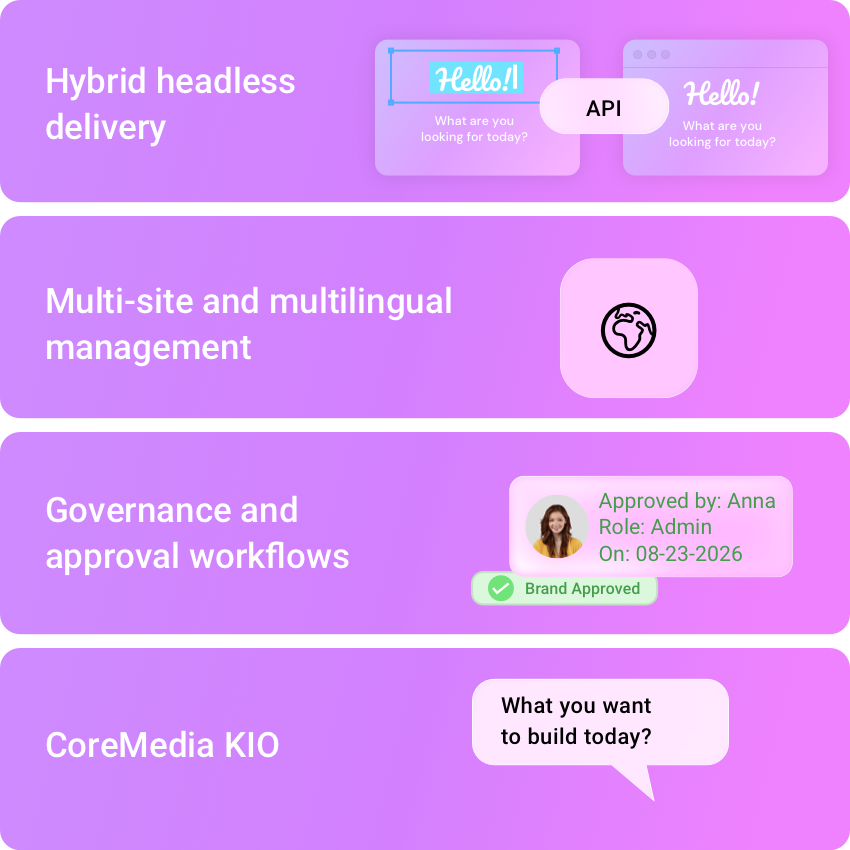
- Hybrid headless delivery. One repository feeds websites, apps, portals and commerce touchpoints, with in-context preview and a GraphQL API for custom front ends.
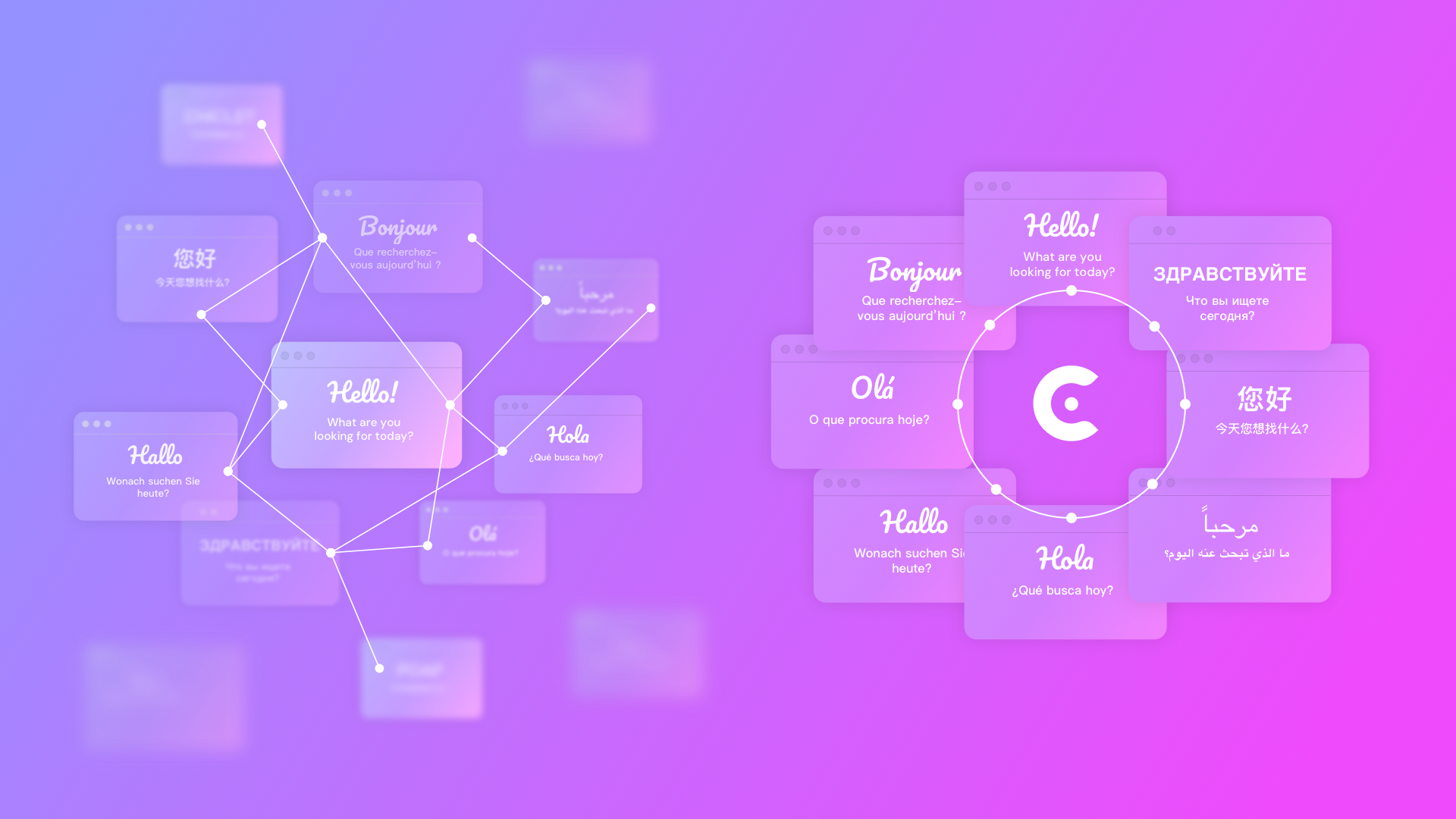
- Multi-site and multilingual management. Derived sites inherit content from a master site and keep their local changes, and translation workflows link each version to its source.
- Governance and approval workflows. Rights can be set per group, folder and content type, with configurable approval chains and a full version history.
- CoreMedia KIO. This AI copilot for content management works from playbooks that hold the brand’s rules, and editors correct it as it works. Nothing it produces is published without their approval, which keeps humans in the lead. CoreMedia KIO runs on the customer’s choice of large language model.
The Bundeswehr, Germany’s armed forces, has run CoreMedia for over 10 years in one of Europe’s highest-risk digital environments. Its website began as more than 70 separate sites and now runs as one platform of around 10,000 pages, built by implementation partner IBM iX and hosted on premises in Germany. The Bundeswehr gained:
- one editorial standard across all pages
- a single security perimeter in place of 70
- full control over its content infrastructure
The team replaced the front end of all 10,000 pages with no downtime, and the site has evolved for a decade without a relaunch.
For platform-by-platform comparisons, read TYPO3 vs CoreMedia or the Strapi alternative for global enterprise teams.
Open source vs proprietary CMS: match the model to who runs it
Both models work. Open source systems work where the organization can carry the operating responsibility itself, including patching, governance and upgrades. A proprietary CMS earns its cost where scale, governance and accountability dominate, because the vendor takes on part of that work under contract. To find the right CMS, map how many brands, markets, channels and integrations the platform will serve in the coming years, and who will own each layer of the stack. If that picture points to a governed, multi-market operation, request a demo of CoreMedia's DXP and test it against the buying-center questions in this article.
FAQ
What is the difference between an open source and a proprietary CMS?
The difference between an open source and a proprietary CMS is who owns the source code and who carries responsibility for running the platform. An open source CMS publishes its code under a license that lets anyone use and modify it without license fees, and the operator or its partners handle support, patching and upgrades. A proprietary CMS keeps the code with the vendor, charges a license or subscription and provides support, updates and a contractual SLA.
Is an open source CMS less secure than a proprietary CMS?
An open source CMS is not inherently less secure than a proprietary CMS. The core of major open source CMS projects is actively maintained, and its public code can be audited by anyone. Security risk in an open source CMS usually comes from contributed extensions and slow patching by the operator, while a proprietary CMS places patching responsibility with the vendor under a contract.
What are examples of proprietary CMS platforms?
Well-known proprietary CMS platforms for enterprises include Adobe Experience Manager, Sitecore and the CoreMedia Digital Experience Platform. All of them keep their source code with the vendor, but they differ in deployment options, where the vendor is based, and how well they handle multi-brand, multilingual and omnichannel content. Compare them against your own use case rather than treating proprietary as one category..
Is CoreMedia an open source or a proprietary CMS?
CoreMedia is a proprietary CMS. The CoreMedia Digital Experience Platform is developed and licensed by CoreMedia, a German vendor headquartered in Hamburg, and combines content management, personalization, marketing automation and customer engagement in one platform. As a proprietary CMS, CoreMedia comes with vendor support, and customers can choose the deployment model, with deep commerce integrations and enterprise governance that make it a strong alternative to open source for complex organizations.
Does an open source CMS prevent vendor lock-in?
An open source CMS prevents vendor lock-in at the code level, because the organization can keep running and modifying the software without a vendor’s permission. Lock-in can still appear elsewhere in an open source CMS setup, for example in custom code that only one agency understands or in a hosting provider’s proprietary services. A proprietary CMS can also be used without lock-in when the contract and architecture are set up for it: open APIs for every function, a headless front end that runs separately from the CMS, full content export in a vendor-neutral format and clear exit clauses. Even then, the vendor still owns the code and sets the roadmap, so some dependence remains, and the exit terms determine how costly a switch would be.