





















TL;DR: key takeaways
- Real-time agent assist is AI that supports contact center agents throughout each customer call. It shows caller context when the phone rings, suggests answers while the call runs and writes the call summary afterward.
- Most agent assist tools only see the call itself, so agents ask questions the caller’s page visits already made clear, and handle time grows.
- Agentic assist adds AI agents that handle calls on their own, which makes the handover to a human critical: 87% of customers expect that option, according to Gartner.
- CoreMedia links each call to the caller’s web session, so agents see the landing page, campaign and previous actions next to live call guidance. Telco MásMóvil reports a 20% higher conversion rate since adopting CoreMedia’s web-to-call tracking.
What is real-time agent assist?
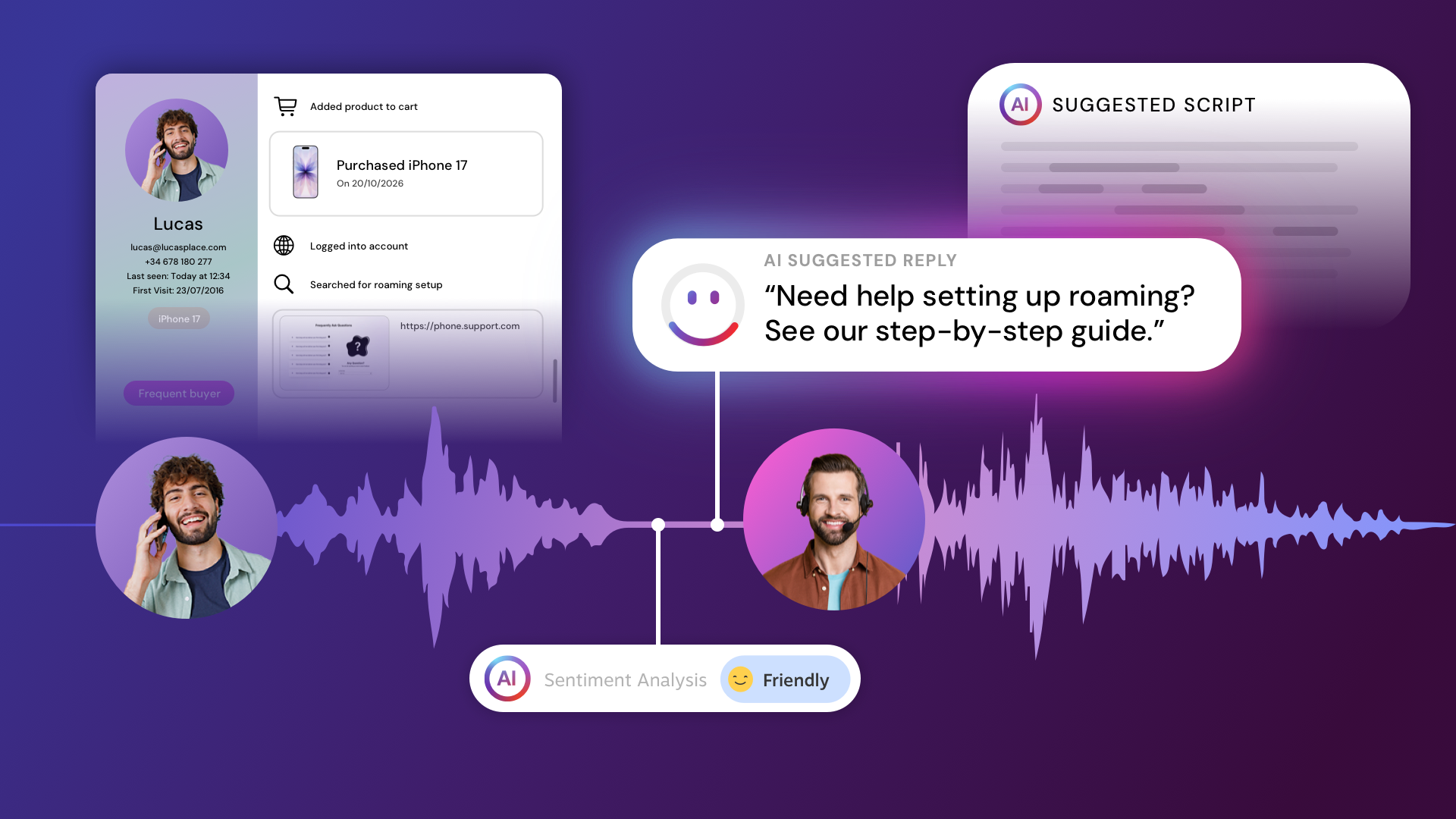
Real-time agent assist is contact center AI that listens to a live customer conversation and shows the agent relevant suggestions while the conversation is still happening. It transcribes the call as it runs, detects what the customer is asking about and how they sound, and pulls matching answers from approved sources such as tariff tables or policy terms. You’ll also see it sold as live call guidance, and some tools add a next best action prompt, a suggested step such as offering a callback or a different plan.
The agent stays in charge throughout. Suggestions appear on screen, and the agent chooses what to say and what to skip. That control matters in regulated industries, such as banking and insurance, where the wording of a product explanation or a fee can carry legal weight.
What agent assist software does before, during and after a call
Agent assist software supports the agent at three points in a customer call: before it connects, while the customer is on the line, and after it ends.
| Stage | What the agent gets | How it works, with an example |
|---|---|---|
| Before the call | Caller context: who is calling and what their online journey has been so far | The call is matched to the caller’s web session, and the agent desktop shows the landing page, campaign source and recent actions as the call is routed. A caller who configured a mobile plan with a new phone and stopped at checkout connects to an agent who already sees the plan, the device and the checkout step on screen. |
| During the call | Live transcription, suggested answers, real-time sentiment cues, whisper coaching from a supervisor | Speech-to-text turns the call into a live transcript, the system detects the topic, and matching answers from the knowledge base appear next to it. When a caller asks whether water damage from a burst pipe is covered, the matching clause from their home insurance policy appears without a search, and a sentiment indicator shows if the caller is getting frustrated. Supervisors can monitor, whisper to the agent or take over. |
| After the call | Automatic summary and classification to cut after-call work, transcripts for post-call QA | AI writes the contact summary, classifies the contact and tags the overall mood, and the transcript is stored and searchable. The case record is complete when the agent hangs up, and QA can filter every call classified as a cancellation. |
The before-call stage is the easiest to overlook, because it depends on data that lives outside the contact center. It also shapes the opening minute of every call. Connecting the website journey to the contact center with an Experience Platform like CoreMedia is what turns agent assist from a transcription tool into a way to resolve and convert calls faster.
Caller context only helps if customers can trust how it’s used. It should come from the company’s own website, such as the pages a visitor viewed or the products in their cart, be collected with the visitor’s consent, and be shown to the agent who takes the call. The recording consent and data protection section below covers how CoreMedia handles this.
Agent assist vs agentic assist
Agent assist supports a human agent during the call, while agentic assist adds AI agents that handle parts of a conversation, or whole calls, on their own and pass the caller to a human when needed. At an energy provider, for example, a voicebot might verify the caller and register a move to a new address, then hand a billing dispute to an agent.
That handover is where agentic setups succeed or fail. In a Gartner survey published August 4, 2026, 87% of customers said companies using GenAI for customer service must offer a way to speak with a human agent. CoreMedia’s AI chatbot and voicebot hand conversations over to human agents, so automation covers routine requests and people take the calls that need judgment.
Why most agent assist starts too late
Most agent assist starts too late because it only sees the call, while the reason for calling usually takes shape on the website. A customer comparing broadband plans might check coverage for their address and spend twenty minutes on tariff pages before clicking “call me,” yet the agent who answers sees a phone number at best.
So the agent opens by asking which plan the caller wants and whether they are already a customer, two things the website knew minutes earlier. Every repeated question adds handle time, and it tells a ready-to-buy caller that the company has not paid attention.
The cause sits in the architecture. In most stacks, the website and the contact center run on separate systems, and nothing ties a phone call back to the web session that led to it, so even an accurate transcription tool misses everything the caller did online. Connecting the two takes three pieces working together:
- A link between call and session. Calls started from a click-to-call button can carry the visitor’s session with them, while calls to a phone number need call tracking that matches the call to the web visit.
- Visitor data the contact center can read. Pages viewed, campaign source and quote or form progress have to sit in a shared profile instead of a separate analytics report.
- Delivery at routing time. The caller’s website activity has to be available the moment the call comes in, so the system can send the call to the right agent and show the context on their screen before they pick up.
What CoreMedia does for your contact center
The CoreMedia Digital Experience Platform runs the website journey and the contact center on one platform, so live call guidance and the caller’s digital history appear on the same agent screen.
The caller’s journey is on screen when the agent answers
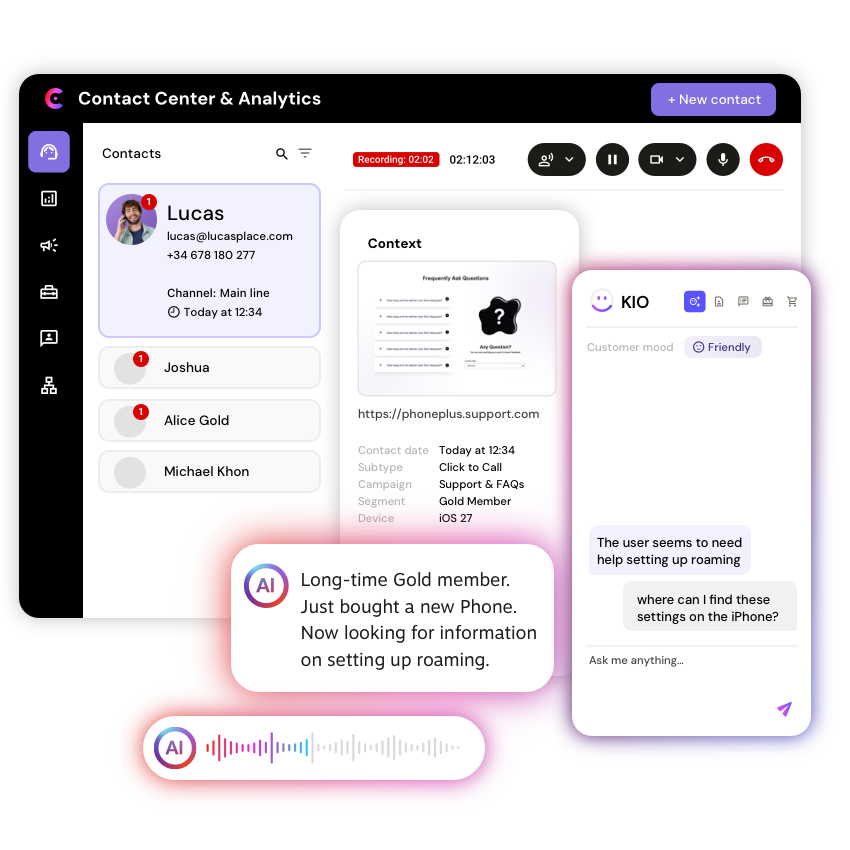
When a customer calls through CoreMedia, the agent sees the landing page, campaign, contact details and previous actions before saying hello. This works because the same platform tracks the web visit and handles the call. Calls started from a button on the site carry the session with them, and Call Tracker links people who dial a phone number shown on the website to their web session as well.
Calls also start at higher intent. Click-to-call can be set to appear based on behavior, for example after a visitor spends 60 seconds on a product page, and skill-based routing sends the call to an agent who knows that product. Callback workflows, video calls and outbound calls run from the same setup.
MásMóvil uses this web-to-call tracking to distribute over 7,000 calls a day across six call centers based on visitor and page information, and its agents see visitor profiles in real time. The company reports a 20% higher conversion rate.
This short demo shows the same context in a live chat: before replying, the agent sees which pages the visitor viewed and what’s in their cart.
Live call guidance during voice calls
During a voice call, CoreMedia KIO transcribes the conversation live and suggests answers grounded in the company’s own knowledge base. The suggestions are built with retrieval-augmented generation (RAG) over approved content, such as tariff conditions or claims procedures, so answers come from the company’s own documents. CoreMedia KIO also reads the caller’s sentiment as the call runs, so the agent can see when someone is getting frustrated and adjust their tone.
The agent chooses whether to use, adapt or ignore each suggestion, and supervisors can listen in, whisper to the agent or take over when a call needs a senior voice. CoreMedia’s AI agent assist offers the same suggestions in live voice calls and live chat, so agents who switch channels keep one tool.
Less after-call work, faster QA
After each call, CoreMedia KIO writes a contact summary, captures the scope of the contact, meaning what the customer called about, classifies it and records the caller’s overall mood, which replaces the notes agents usually type by hand.
The same data supports post-call QA. With call transcription and AI contact classification, supervisors can search transcripts for training and compliance checks.
Recording consent and data protection
CoreMedia records calls only with the caller’s consent, keeps audit logs, and encrypts data in transit and at rest, in line with GDPR. For banks and insurers, this matters because the transcripts that speed up QA also contain personal and financial details, so they need the same protection as the customer data in core banking or policy systems.
AI in the contact center now has its own rules as well. Since August 2, 2026, Article 50 of the EU AI Act requires that customers be told when they are talking to an AI system, such as a voicebot, and CX Today’s July 2026 analysis of the EU AI Act for contact centers notes that behind-the-scenes AI does not automatically carry the same obligation.
This article explains publicly available regulatory information for general awareness. It is not legal advice. Organizations should confirm their specific obligations with qualified legal counsel before making compliance decisions.
Connectors that fit your current setup
CoreMedia connects the telephony a contact center already runs through existing CTI or PBX systems, or it runs calls fully on the SIP-based Cloud Contact Center that CoreMedia manages. Either way, a contact center can add live call guidance without replacing its phone system first.
Around the telephony, the platform includes a built-in CDP, CRM integrations, commerce connectors for Salesforce, SAP, HCL, Elastic Path and Spryker, and over 100 integrations in total. WhatsApp and Messenger run on the same platform, and WhatsApp history stays with the customer from one conversation to the next. Teams also choose the AI model behind the suggestions, including OpenAI, Azure OpenAI, Anthropic Claude or a custom model.
TIM Ultrafibra brought its contact center, click-to-call, live chat, chatbot and WhatsApp onto one CoreMedia platform as part of a wider digital program. It reports 209% higher conversions and a 53% lower cost per acquisition.
How to measure the ROI of real-time agent assist
Measure the ROI of real-time agent assist by comparing these call metrics before and after rollout, ideally against a group of agents working without it to prove incremental lift.
- Average handle time: talk, hold and wrap-up time per call. Caller context on screen should cut the discovery questions at the start.
- After-call work (ACW): minutes spent writing notes, tagging call reasons and classifying the contact after the caller hangs up.
- First-contact resolution: the share of issues solved without a second call or a transfer.
- Conversion per call: sales or completed applications per handled call, split by the web page or campaign that triggered the call.
- New-agent ramp-up time: the weeks a new hire needs to match the team average on the metrics above.
Conversion per call is the metric many contact centers cannot calculate today, because it requires linking each call to the web session behind it. Many companies also don’t run the contact center as a sales channel. It sits in customer service, and the phone number lives on the contact page instead of being offered in the buying journey when a visitor’s real-time behavior shows they need help, such as a stalled mortgage application or a third visit to the same insurance comparison.
Before choosing the right agent assist software
Before choosing agent assist software, pull ten recent sales calls and time how long each agent needed to find out what the caller wanted, because that number shows how much context your current setup misses. To see live call guidance next to the caller’s web journey, book a demo with our experts.
FAQs (Frequently asked questions)
What is the difference between agent assist and agentic assist?
The difference between agent assist and agentic assist is who handles the conversation. Agent assist supports a human agent with live suggestions, while agentic assist adds AI agents that handle calls on their own and hand them to a human when needed. The two work together: once a voicebot passes a call to a person, agent assist supports that person.
Does real-time agent assist work with an existing contact center?
Real-time agent assist works with an existing contact center when the tool connects to the telephony already in place. CoreMedia connects to existing CTI and PBX systems, or companies can run calls on CoreMedia’s managed, SIP-based Cloud Contact Center.
What is whisper coaching?
Whisper coaching is when a supervisor listens to a live call and speaks to the agent without the customer hearing it. Contact centers use whisper coaching to guide new agents through difficult calls, and in CoreMedia, supervisors can also take over the call if needed.
How does agent assist software reduce after-call work?
Agent assist software reduces after-call work by writing the call summary and classifying the contact automatically, so agents skip typing notes after every call. In CoreMedia, the AI contact summary also records the overall mood of the call, and the transcript stays available for post-call QA, training and compliance checks.
What is the best platform to turn contact center calls into conversions?
The best platform for call conversion is one that knows what the caller did online before they called. Contact center software handles the call itself, but it rarely sees the web journey. CoreMedia connects the two: it tracks the web visit, shows call options such as click-to-call or a callback the moment a browsing visitor hesitates, for example by lingering on a product page or stalling in a form, and shows the caller’s journey next to live call guidance. TIM Ultrafibra reports 209% higher conversions after bringing these channels onto one CoreMedia platform.